Introduction to MV 88: The Future of Mobile Recording
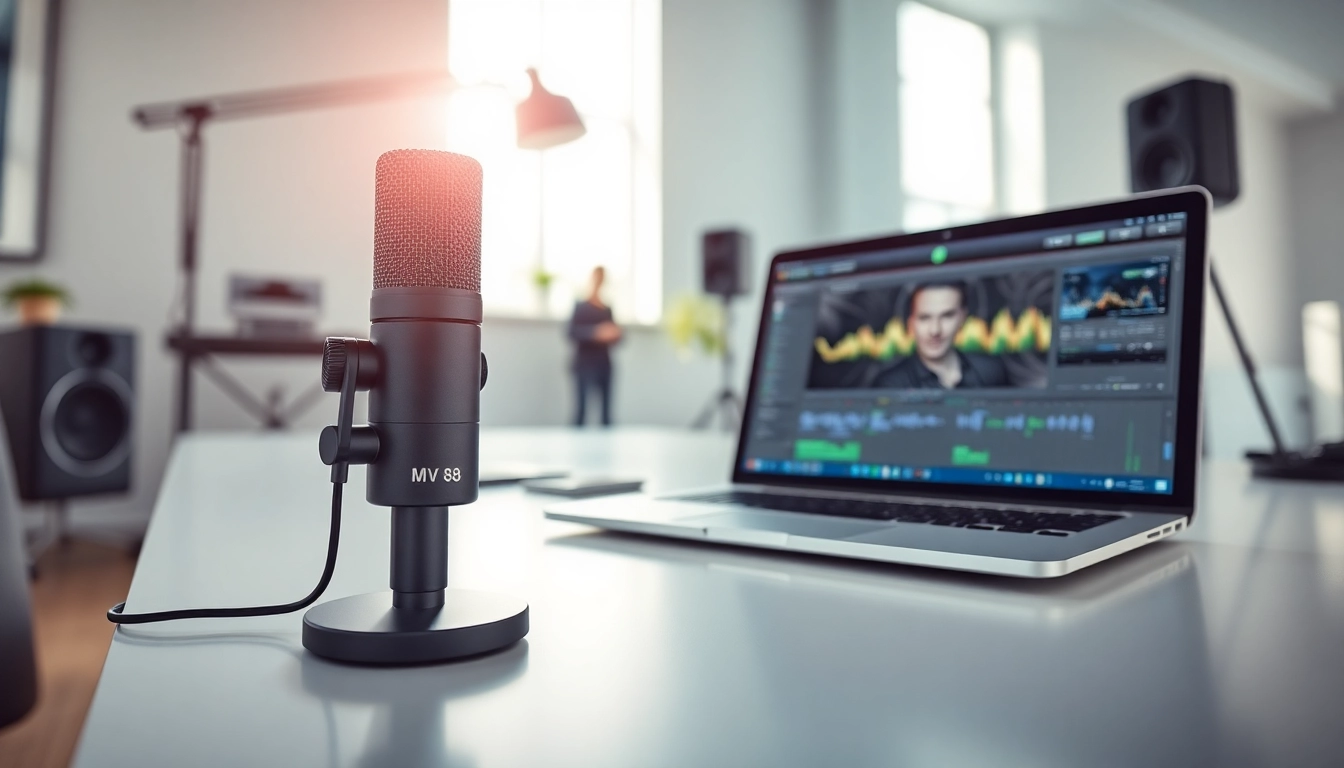
The MV88 microphone is revolutionizing the way mobile recording is approached, offering a compact yet powerful solution for creators on the go. With its impressive audio quality and intuitive design, it caters to musicians, podcasters, and video content creators alike. As the demand for portable recording devices grows, understanding the features and capabilities of the MV 88 becomes essential for anyone looking to elevate their audio game. This article will explore the standout features, setup process, and practical tips for getting the most out of this innovative microphone.
What Makes the MV 88 Stand Out?
Key Features and Specifications
- Compact Design: The MV88's sleek form factor allows it to connect directly to iOS devices via Lightning connector, making it ideal for mobile use.
- Adjustable Stereo Image: With two microphone capsules configured in a Mid-Side pattern, users can manipulate the stereo width to fit their recording needs.
- Integrated DSP: Featuring built-in Digital Signal Processing (DSP), the MV88 offers four preset modes tailored to different recording scenarios, ensuring optimal sound quality.
- High-Quality Audio Capture: The microphone records at sample rates up to 24-bit/96 kHz, delivering professional-grade audio that rivals many studio setups.
Understanding the Benefits of Mobile Recording
Mobile recording offers unparalleled convenience, allowing creators to capture moments wherever they are. The MV88 enhances this experience with its high-quality audio capabilities, making it practical for interviews, live performances, and documentaries. Whether you are a seasoned professional or a budding enthusiast, the MV88 empowers you to record exceptional audio without compromising on quality.
Getting Started with the MV 88
Unboxing and Initial Setup Instructions
Upon unboxing the MV88, you’ll find the microphone, a protective pouch, and a quick start guide. To set it up, follow these steps:
- Connect the MV88 directly to your iOS device's Lightning port.
- Download the free ShurePlus MOTIV app to access enhanced features.
- Open the app and select your desired recording mode.
Connecting MV 88 to Your Devices
The MV88 is designed to seamlessly integrate with iPhones and iPads, ensuring a hassle-free connection. For users of non-iOS devices, adapters may be necessary to facilitate compatibility. Ensure your device is updated to the latest software version for optimal performance.
Essential Apps for Optimal Performance
While the MV88 functions well on its own, using specialized apps can greatly enhance your recording capabilities. The ShurePlus MOTIV app not only allows for configuration of your microphone settings but also provides powerful editing tools to refine your audio tracks post-recording.
Best Practices for Using the MV 88
Tips for Achieving Professional-Quality Audio
- Positioning: Experiment with microphone placement to find the optimal distance and angle for your recording environment.
- Environmental Control: Minimize background noise by choosing a quiet space or utilizing sound dampening techniques.
- Monitor Levels: Always monitor audio levels in real-time using headphones to ensure clarity and avoid clipping.
Common Mistakes to Avoid with Mobile Recording
- Recording in excessively noisy environments, which can compromise audio clarity.
- Neglecting to test audio levels before the actual recording.
- Failing to use a windscreen when recording outdoors to prevent wind interference.
Enhancing Your Skills: Tutorials and Resources
To master the MV88, consider online tutorials and instructional videos that provide tips and tricks from experienced users. Platforms like YouTube and audio production forums are great resources to learn advanced techniques and discover new applications for your recordings.
Troubleshooting Common Issues with MV 88
Identifying and Resolving Connection Problems
If you experience connectivity issues with the MV88, start by checking the Lightning port for debris or damage. Additionally, ensure your device's software is up to date. Restarting your device can also help resolve transient connectivity issues.
Improving Sound Quality: What to Check
To enhance sound quality when using the MV88, consider the following:
- Confirm the microphone is properly connected and selected in your recording software.
- Adjust the gain settings within the app to match your recording environment.
- Utilize the MV88's various preset modes to cater to different sound sources.
FAQs About MV 88: Getting Answers
Here are some frequently asked questions about the MV88:
- What devices are compatible with the MV88? The MV88 works seamlessly with iOS devices equipped with a Lightning port.
- Can I use the MV88 for video recordings? Yes, the MV88 is ideal for both audio-only recordings and video, providing high-quality sound integration.
- Does the MV88 require external power? No, the MV88 draws power directly from your device, making it easy to use on the go.
The Future of Mobile Audio: Trends and Innovations
Emerging Technologies Impacting Mobile Recording
As technology continues to advance, mobile recording is becoming increasingly sophisticated. Innovations such as wireless microphones and enhanced audio editing software are setting new standards for what is possible in portable recording. The MV88 is at the forefront of this trend, offering versatility and quality.
Predictions for the Future of Audio Equipment in 2025
Looking ahead, the future of audio equipment is likely to revolve around greater integration with smart devices and AI-driven enhancements. We can expect to see more compact units like the MV88 that deliver studio-quality recordings in an increasingly mobile world.
How MV 88 Fits into the Evolving Audio Landscape
In this rapidly changing audio landscape, the MV88 stands out as a practical solution for those who prioritize portability without sacrificing sound quality. Its commitment to high-fidelity audio capture ensures that it remains a top choice for creators in 2025 and beyond.